
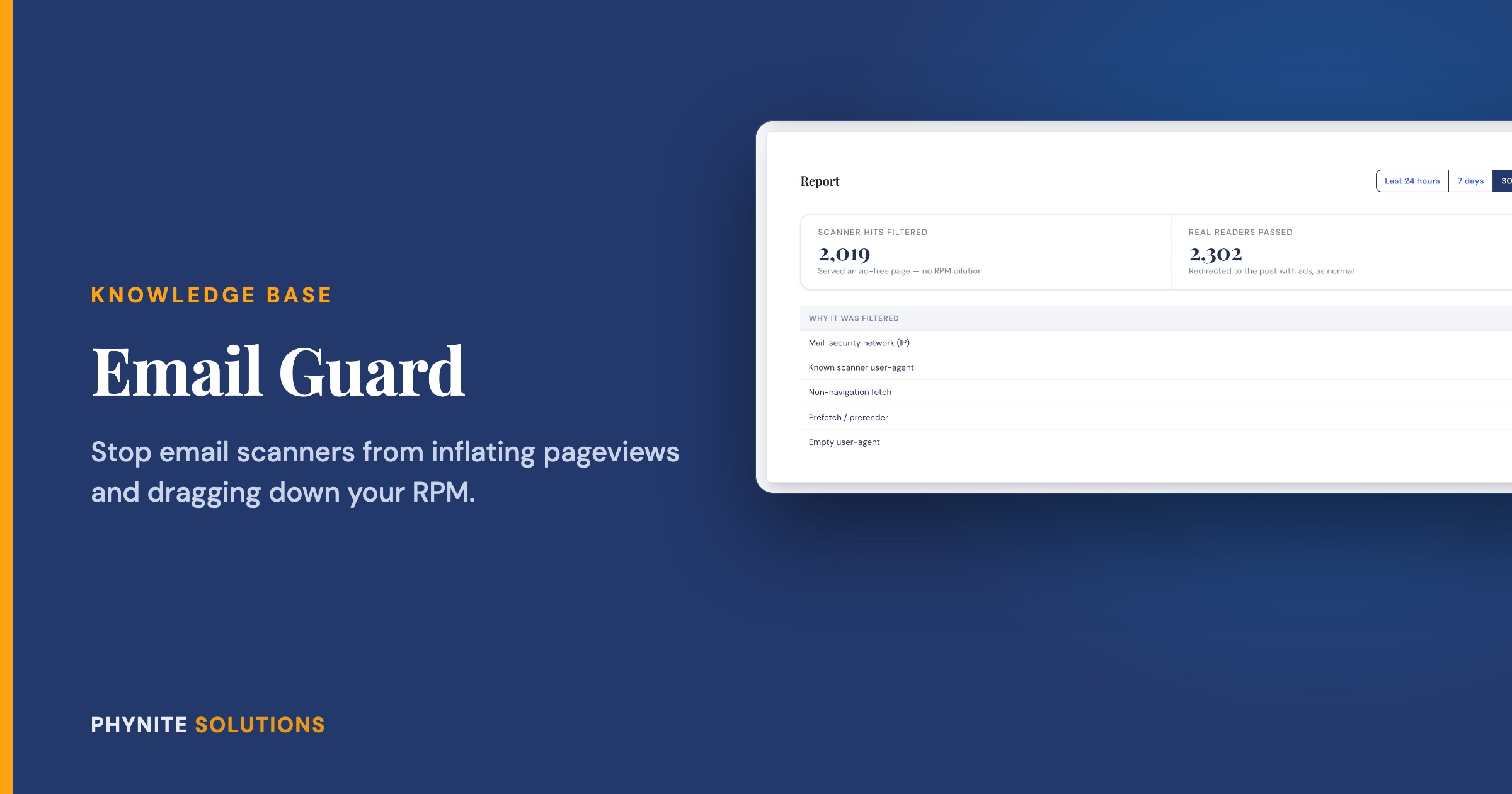
How to Protect Your RPM from Email Scanners with Email Guard
Overview
Here is something most bloggers never hear about. When you send a newsletter, many of your subscribers’ inboxes are protected by email security services, like the ones built into Outlook and most workplace email. Before your subscriber ever opens your email, those services open every link in it to check that it is safe.
To your site, each of those checks looks like a real visit. Your ads load, your pageviews go up, and nobody is actually there to see them. Your ad network notices that a chunk of your traffic never engages, and your RPM pays the price.
Email Guard fixes this. It recognizes those scanners and shows them a lightweight, ad-free version of your page. Your real readers click the same link and get your post exactly as normal, ads and all.
Built from a member’s request: Email Guard started as a direct ask from one of our current Blog Care members. They generously agreed to let us share it with everyone, so every Blog Care member gets it too.
How It Works
Email Guard gives you special links to use in your newsletters. When someone clicks one:
- If it is a scanner, it gets an ad-free page, so no ad impressions are wasted on it
- If it is a real reader, they go straight to your post as usual
Your regular post links, your site, and how Google sees your site are not affected at all. Email Guard only steps in for the links you send in your emails.
Setting Up Email Guard
- In your WordPress dashboard, open Phynite Blog Care → Email Guard
- Turn on Enable Email Guard and click Save Settings
Making a link for your newsletter
- Under Make a broadcast link, search for the post you want to share, or paste its URL
- Click Copy next to the wrapped link
- Use that link in your email instead of the normal post link
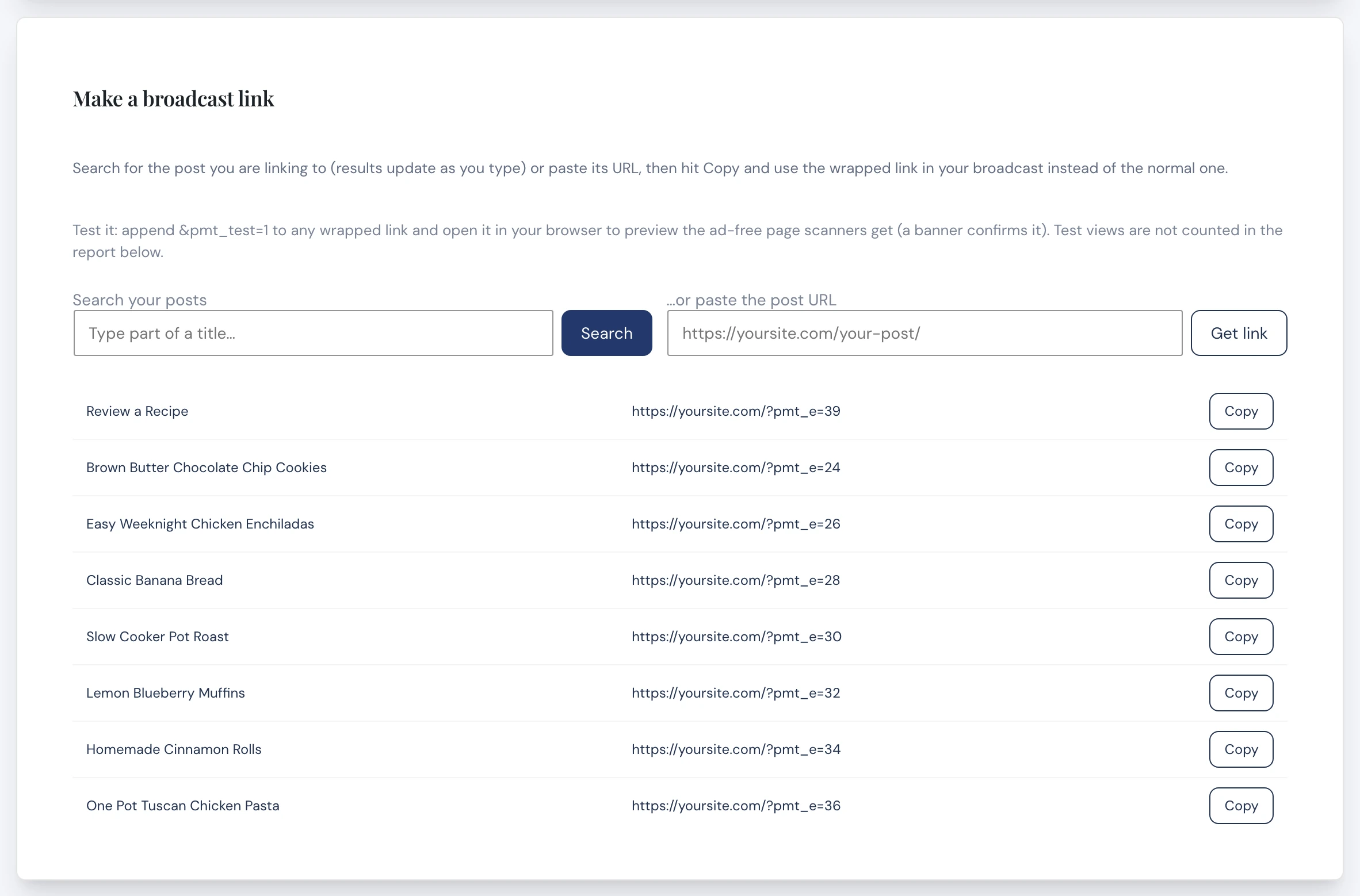
Tip: Want to see what the scanners see? Add &pmt_test=1 to the end of any wrapped link and open it in your browser. You will see the ad-free page with a banner confirming it is a test. Test visits are not counted in your report.
Using an RSS email automation
If your newsletter sends automatically from your blog’s RSS feed, like a Kit RSS broadcast, you do not need to copy links one at a time. Email Guard gives you a wrapped feed URL. Swap it into your RSS automation once, and every link in those emails is protected automatically. Your public RSS feed stays exactly the same.
- On the Email Guard screen, find Automate it: RSS → email and copy your wrapped feed URL
- In your email provider, open your RSS broadcast or automation
- Replace the feed URL with your wrapped feed URL and save
Keep Up to Date
Get The Phynite Letter: news on our products and services, plus tips and tricks to keep your site running at its best.
Reading Your Report
The Email Guard screen shows you what it has been catching:
- Scanner hits filtered: fake visits that got the ad-free page instead of costing you RPM
- Real readers passed: real subscribers who went to your post as normal
- By link and by campaign: which emails and posts drew the most scanner traffic, and your scanner percentage
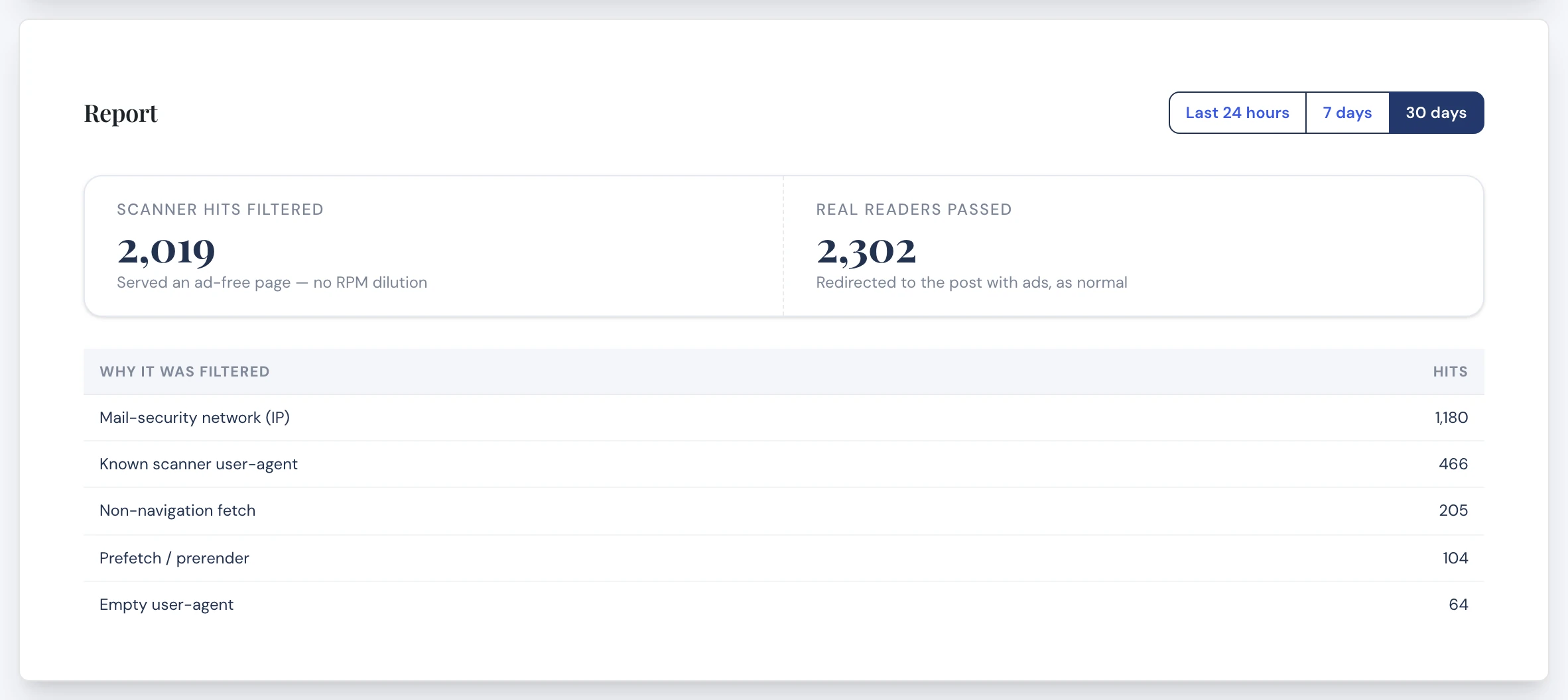
Do not be surprised if the scanner numbers are high. For many bloggers, a large share of the clicks right after a newsletter sends are scanners, not people.
Typical Use Cases
Your weekly newsletter
Use wrapped links for every post you feature, or switch your RSS automation to the wrapped feed and forget about it.
Understanding a traffic spike
Seeing a burst of pageviews right after a send with no matching engagement? The report shows you how much of it was scanners.
Troubleshooting
The report is empty
The report only counts wrapped links. Send a newsletter with at least one wrapped link (or use the wrapped RSS feed), and the numbers will appear after it goes out.
My wrapped links go to my homepage
Make sure Email Guard is still turned on. Wrapped links only work while it is enabled. If it is switched off, readers who click a wrapped link land on your homepage instead of the post. Keep Email Guard on for as long as people might still be reading emails with wrapped links in them.
Frequently Asked Questions
No. They click the link and land on your post, with your ads, just like always.
No. Google and other search engines never see the wrapped links, and your posts are not changed at all.
No. Start using wrapped links in your next newsletter. Old emails with normal links keep working as they always have.
Yes. Wrapped links are ordinary links, so they work with Kit, Mailchimp, MailerLite, Flodesk, and any other email provider.
Email Guard is part of Phynite Blog Care, included with every Blog Care plan: Tiny Much, Medium Much, and Big Much.